Personal Projects

Here the link to the project: Account Structure Project
Someone searching for flat tire repair has a different need from someone looking for a truck lift kit.
They might visit the same shop, but their searches point to different services. Those clues should shape the ads they see.
That’s the idea behind a Google Ads practice project I created around Jacoby Tire & Auto in Gettysburg, Pennsylvania. I built a planning workbook to practice campaign structure and ad copy.
I started with the campaign’s scope.
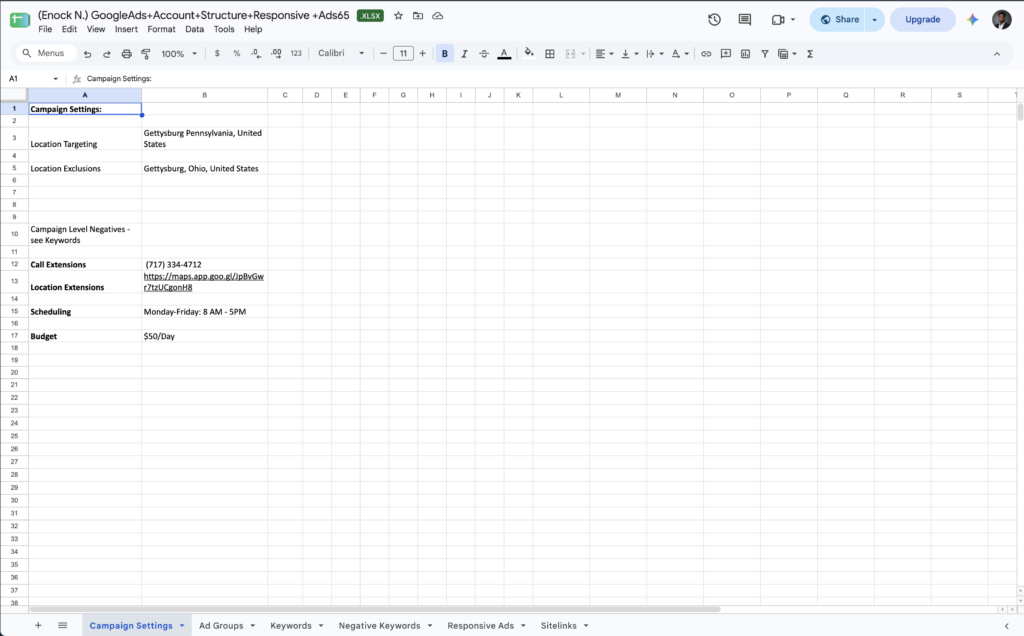
My workbook includes Gettysburg location targeting, a proposed $50 daily budget, and a Monday-through-Friday schedule from 8 a.m. to 5 p.m.
I organized the services under one campaign so they could share those settings. Google’s account organization guidance explains that services can share a campaign when they use the same budget and location targeting.
The $50 budget was only a planning assumption. Deciding whether it was appropriate would require more information about advertising costs, business priorities, and customer value.
That distinction matters as I learn: I can explain the structure I built while recognizing which decisions need more evidence.
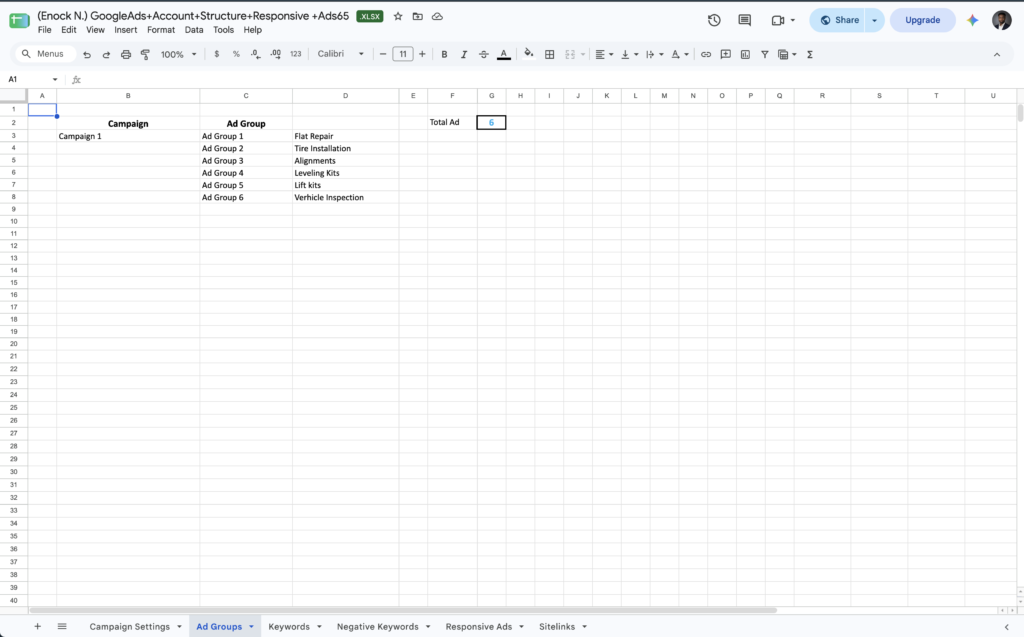
Within the campaign, I organized ad groups by service.
I created six ad groups:
Flat repair
Tire installation
Wheel alignments
Leveling kits
Lift kits
Vehicle inspections
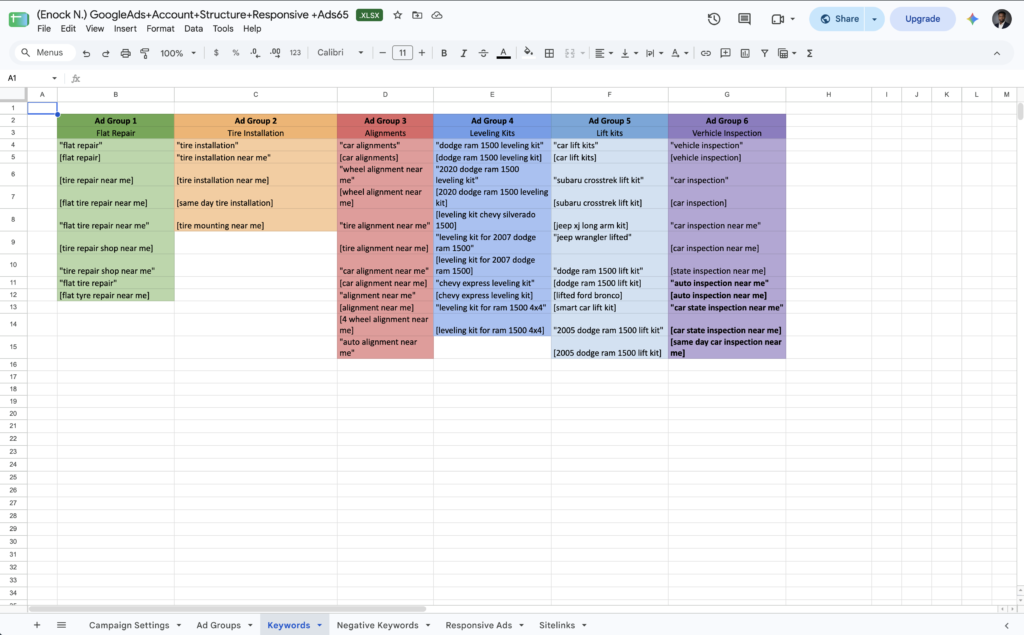
Each group has related keywords and ads, giving every service its own message.
Flat repair keywords belong with flat repair ads. Lift kit keywords belong with lift kit ads. Keeping themes separate makes the copy more relevant and easier to review.
The keywords helped me think about the person behind the search.
In the flat repair group, I included “flat tire repair near me.” In the alignment group, I included “wheel alignment near me.”
Both involve automotive services, but they point to different problems. “Near me” also suggests that location matters.
The search gives me a starting point, but I still need to avoid overinterpreting it. A query may suggest intent without revealing someone’s urgency or readiness to book.
I wrote the ads to continue that conversation.
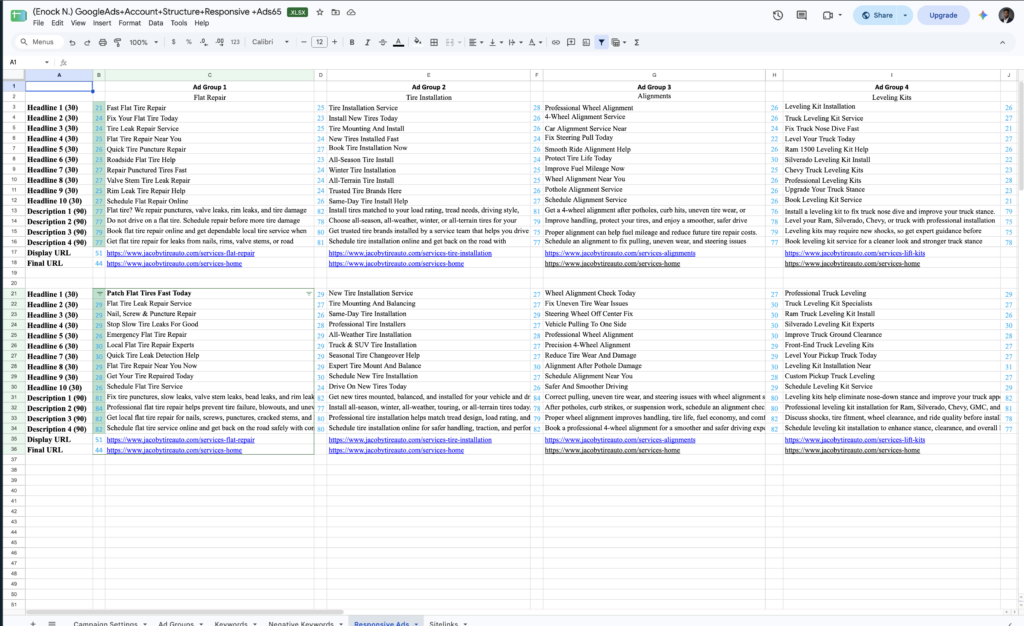
One flat repair headline is “Fix Your Flat Tire Today.”
The connection is simple: someone searches for help with a flat tire, and the headline responds to that need.
I also drafted multiple headlines and descriptions for each service. That pushed me to consider what people want to know, which benefit matters, and what action the ad should invite.
Writing within the available space became an exercise in prioritizing information.
It also raised an important question: can the business support every promise? Claims about same-day service or emergency help need confirmation.
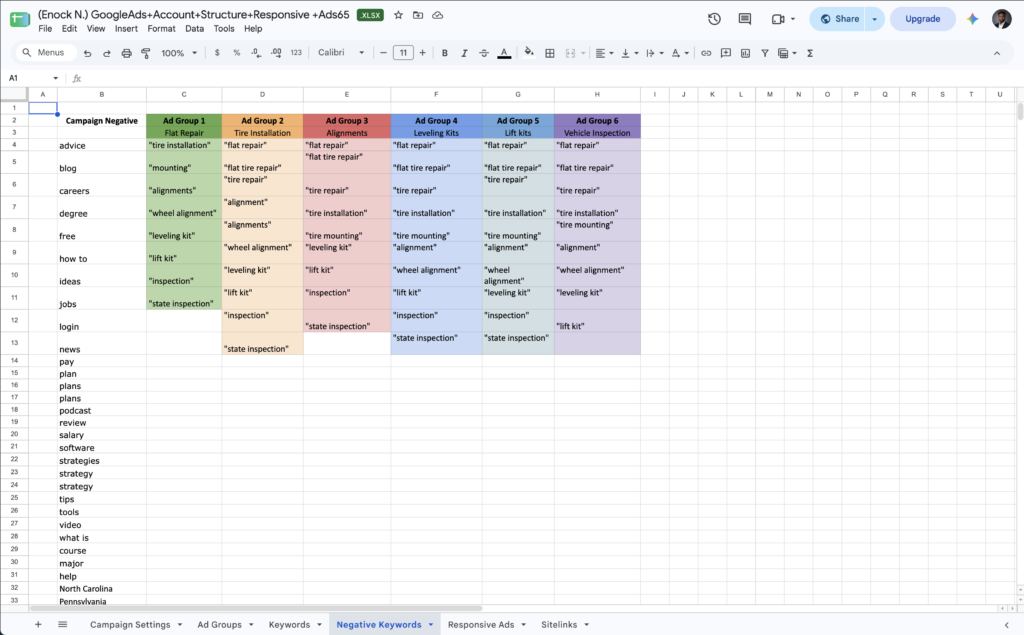
Negative keywords taught me to examine my exclusions.
Negative keywords prevent ads from appearing for unwanted searches. I included “jobs” and “careers” to filter out employment searches.
But I also found exclusions I would change. “Pennsylvania” appears as a campaign negative even though the planned location is Gettysburg, Pennsylvania. That could block relevant searches. “Help” also deserves reconsideration because someone searching for tire repair help could be a potential customer.
Google’s negative keyword guidance explains how exclusions affect eligibility. My lesson: test each negative keyword against realistic customer searches before adding it.
The customer’s experience continues after the click.
My workbook lists service-specific display URLs, but the final URLs point to a general services page. The final URL is the destination people reach after clicking.
I would review those destinations and use a relevant service page when available. Someone responding to a flat repair ad should quickly find the right information and next step.
This project helped me connect the spreadsheet to the customer experience.
It is a campaign-planning exercise, not a performance report. Its value is in the decisions I can explain, problems I can identify, and improvements I can make. Evaluating results would require a live campaign and reliable measurement.
As I continue practicing, I want to follow one customer need through the entire setup: search, ad, and destination page. For another student building a campaign, that’s a useful place to start.